 WinPrune
Your drive, at a glance.
A visual approach to understanding where your storage goes.
SEE THE WHOLE PICTUREWinPrune is a Windows storage analyzer and cleanup tool. See your whole drive as a storage map, find what takes space, and choose what to remove.
Storage shouldn’t be a mystery. Start with a clear picture of what’s on your PC.
A visual approach to understanding where your storage goes.
SEE THE WHOLE PICTUREStart with the files and folders that take up the most room.
FOLLOW THE SPACEUnderstand what a file is before deciding what to remove.
REVIEW BEFORE CLEANUPAvailable now for Windows 10 & 11 · WinPrune 2.0.1
Explore the productUnderstand your storage before you clean it.
Explore the Free and Pro tools in WinPrune.
Type what you want to do on your PC. We’ll show which WinPrune tool does it, and whether it’s Free or Pro.
WinPrune reads the NTFS Master File Table directly, so it scans millions of files in about a minute. The treemap shows every folder as a block sized by the space it uses. Click a block to drill into it.
Free · Included for everyone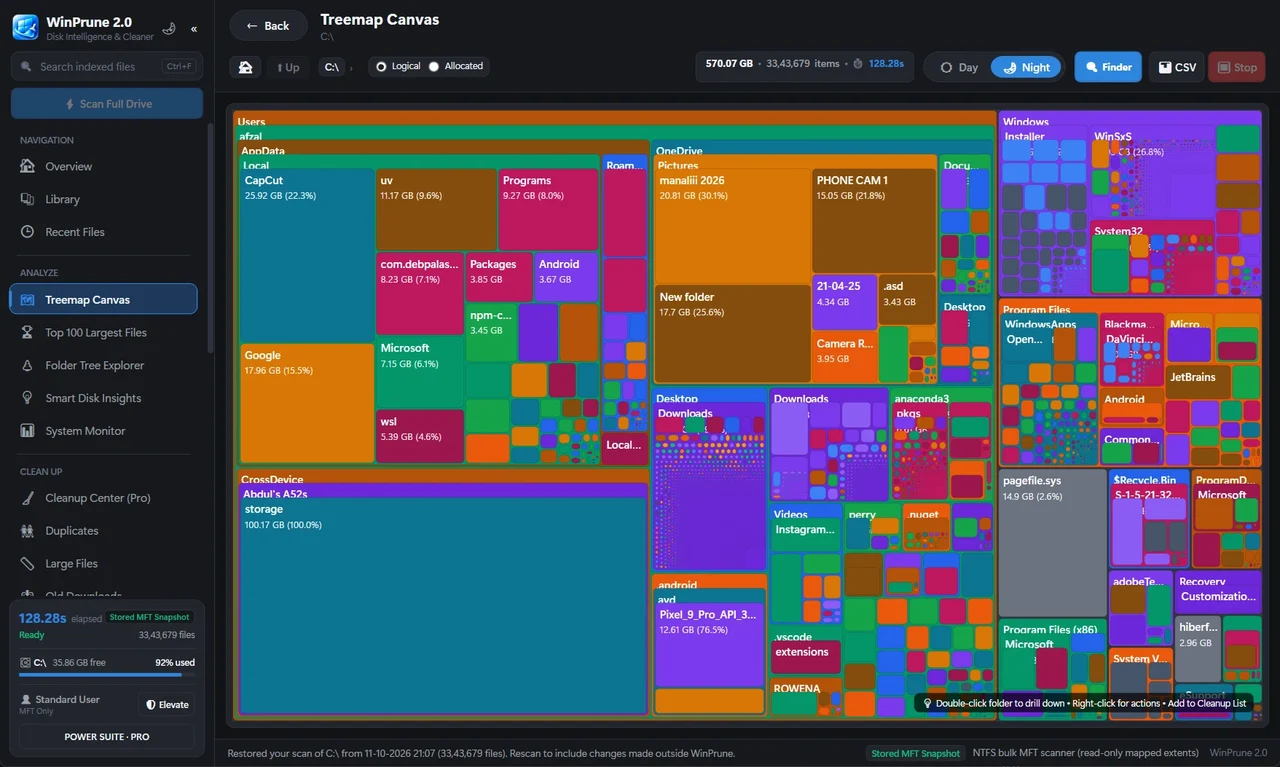
See CPU, memory, network and power stats live, so you can check what your PC is doing while you review your storage.
Free · Included for everyone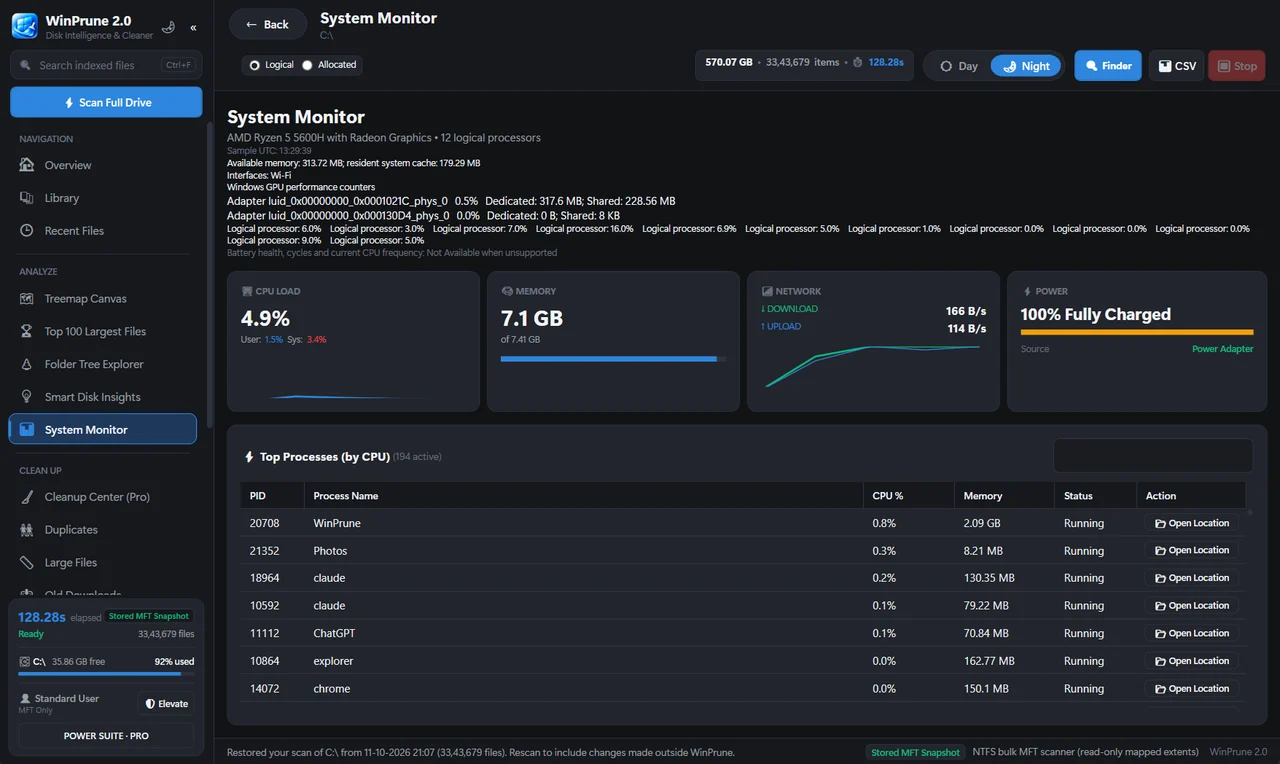
See storage categories, storage opportunities and your drives together on one dashboard.
Pro · Unlocked with a license key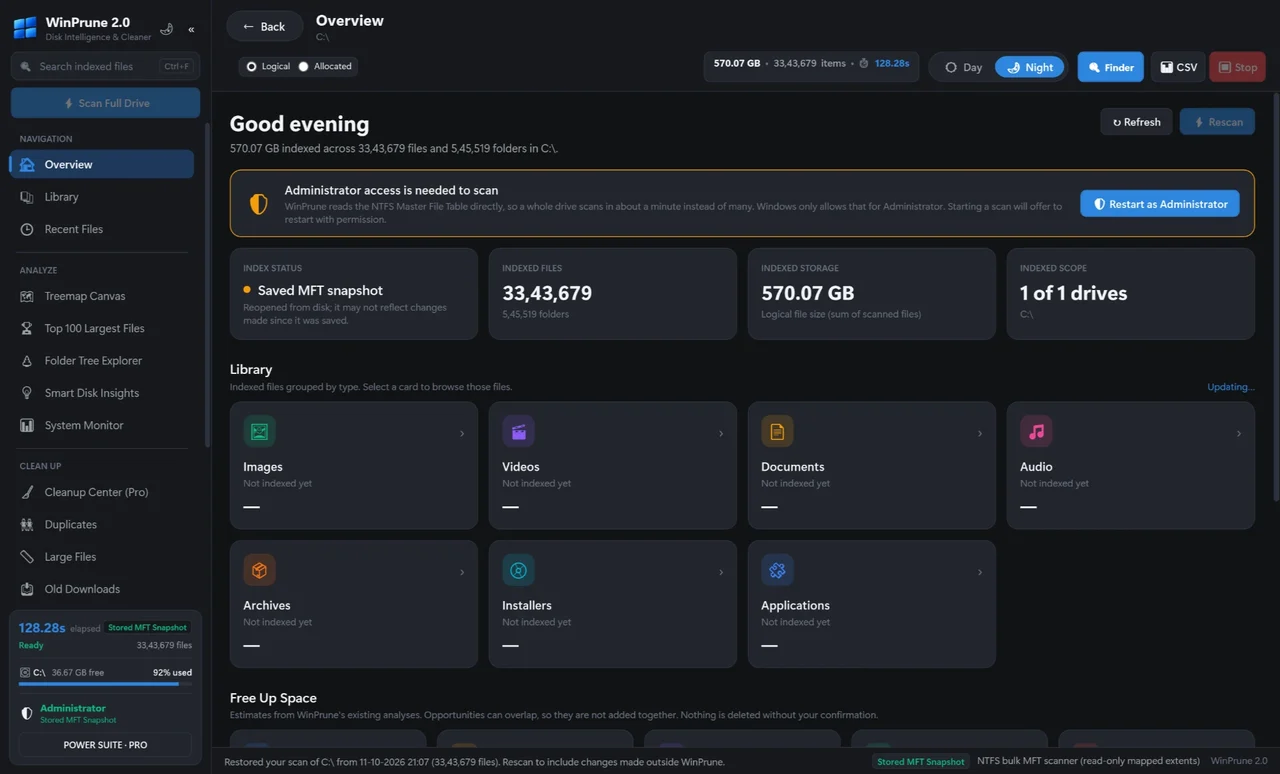
Browse every file by category (Images, Videos, Music, Documents, Apps, Archives and more), with thumbnails.
Pro · Unlocked with a license key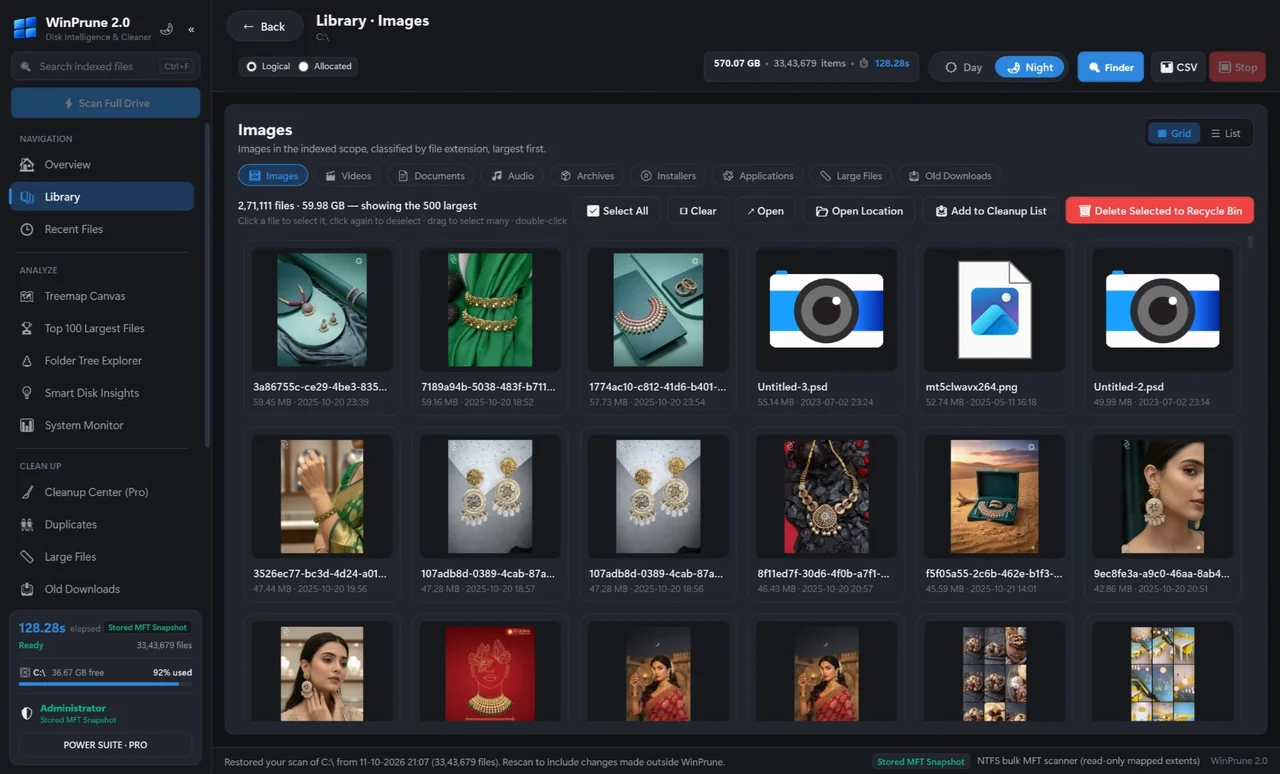
The Top 100 largest files view lists the biggest files on the drive with their sizes and full locations, and the folder tree explorer shows where they live.
Pro · Unlocked with a license key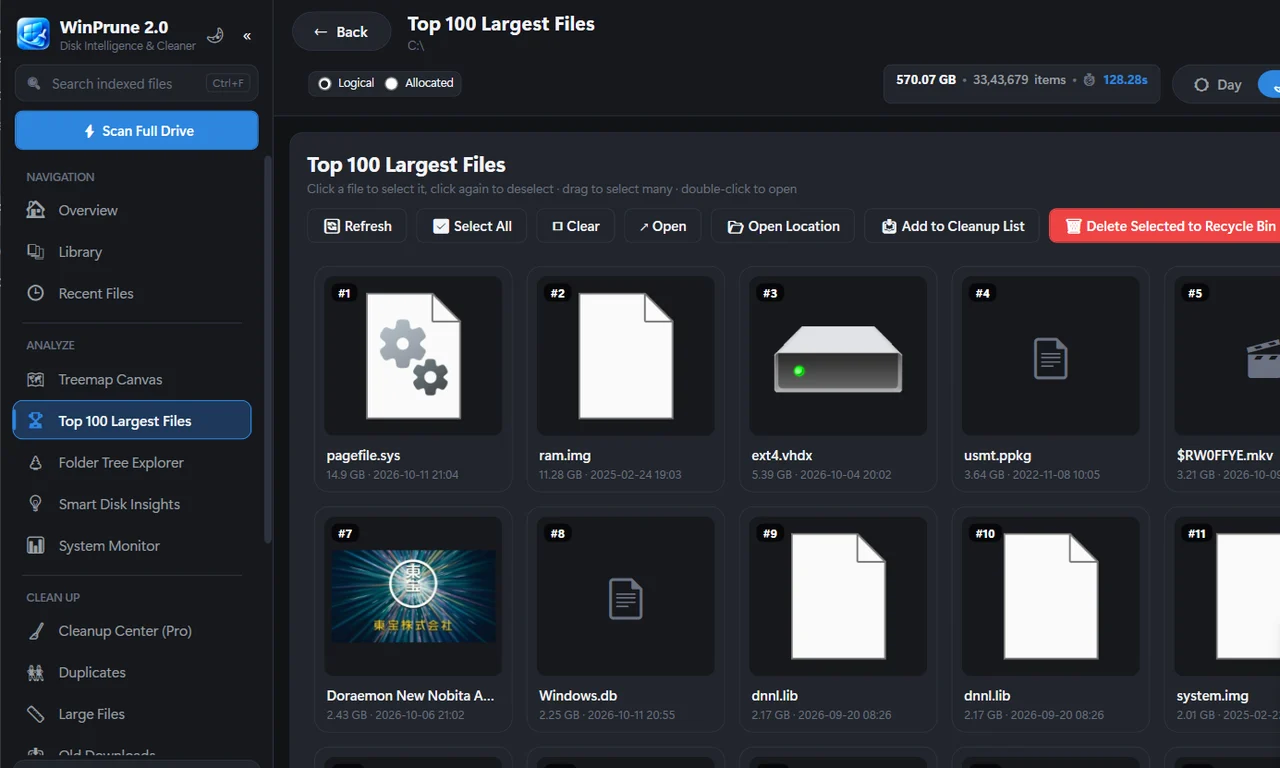
Find duplicate files quickly. Thumbnails show you exactly which copy you are removing.
Pro · Unlocked with a license key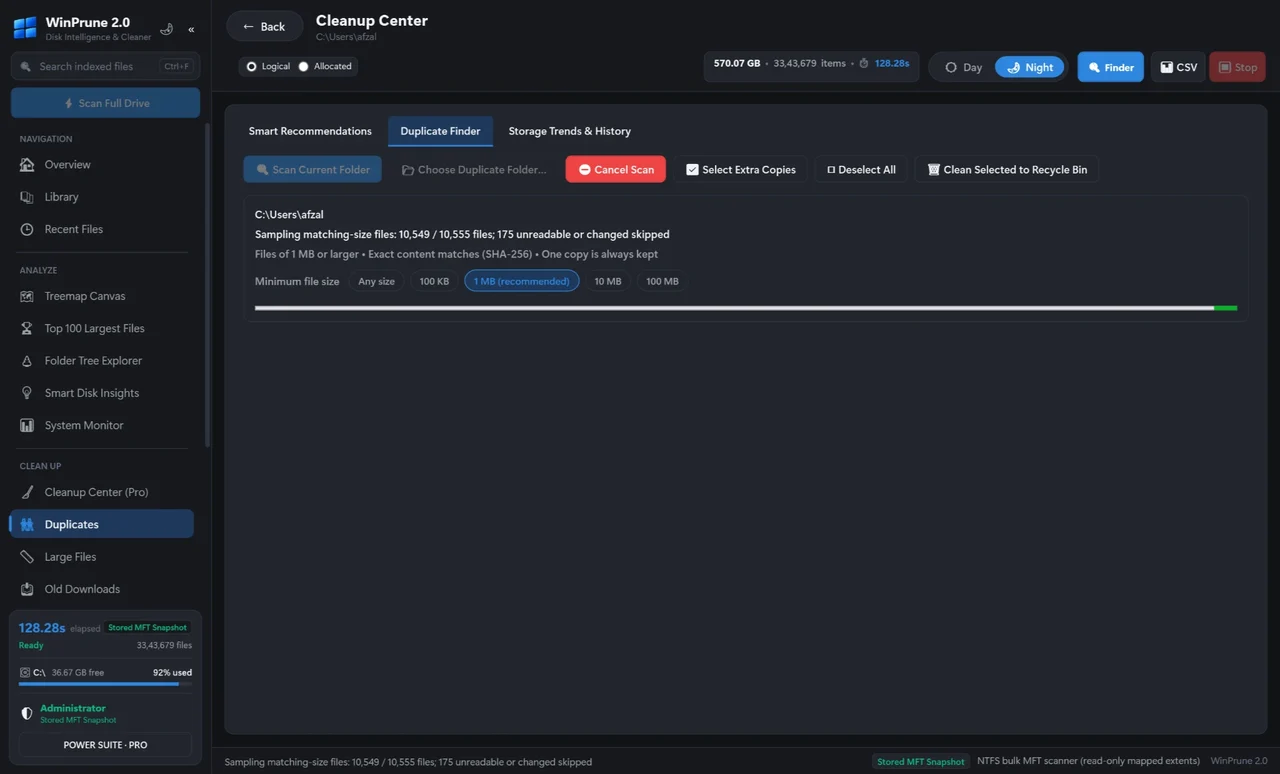
Build a cleanup list, review it, then move the files to the Recycle Bin. You choose every file.
Pro · Unlocked with a license key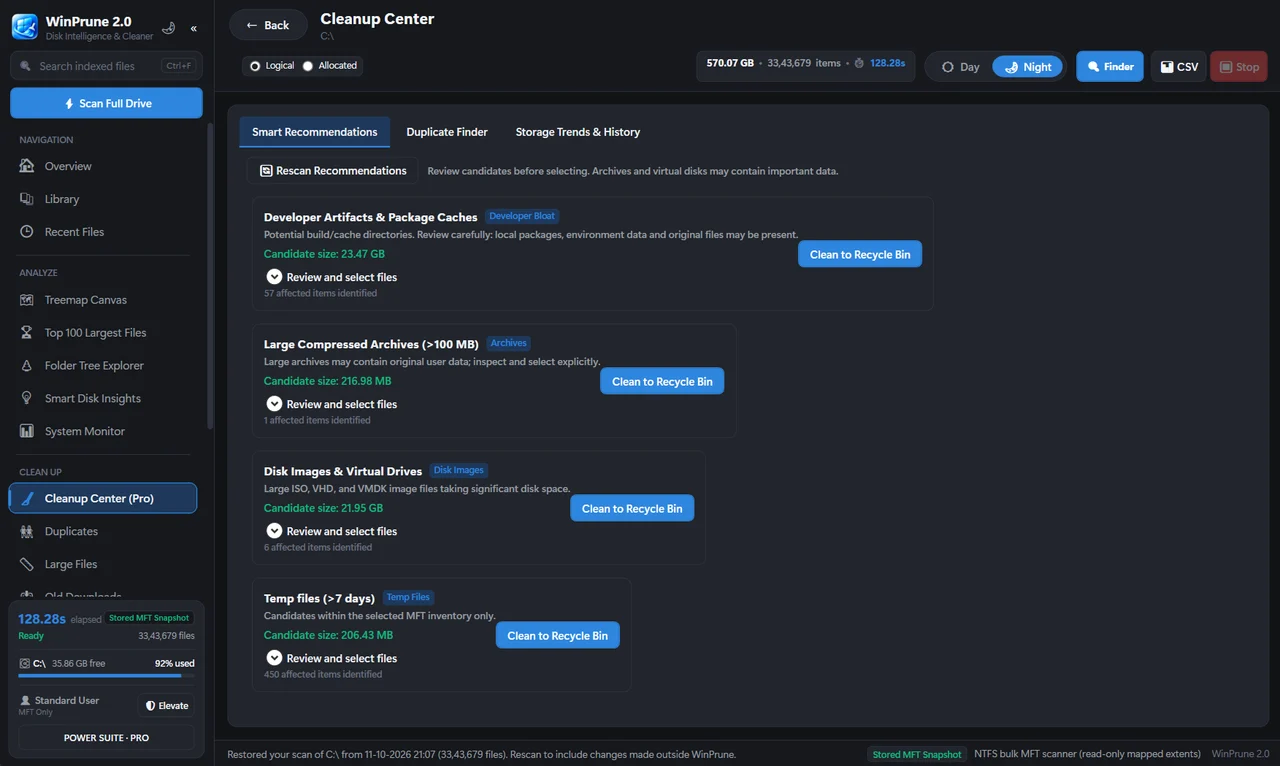
The Recycle Bin manager shows what is in the Recycle Bin and lets you restore items.
Pro · Unlocked with a license key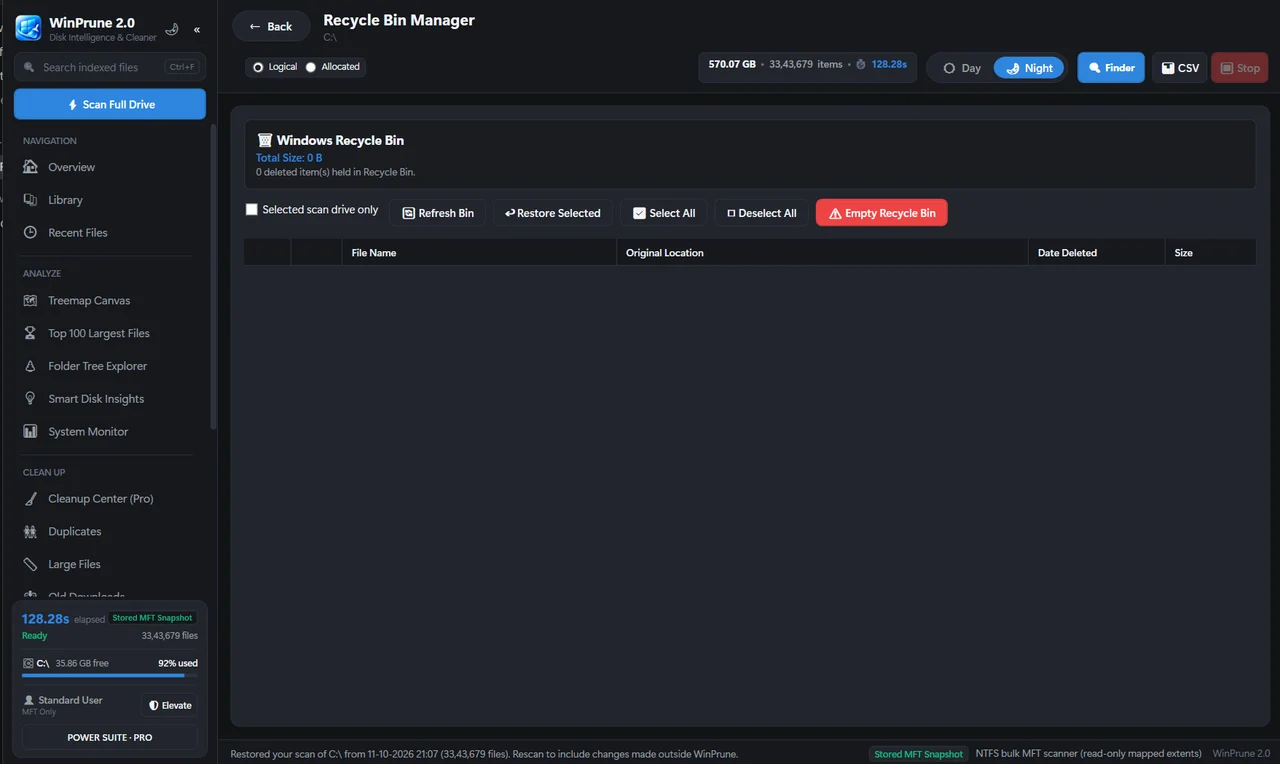
Disk insights, smart cleanup recommendations, and storage trends & history show where your space goes and how it changes.
Pro · Unlocked with a license key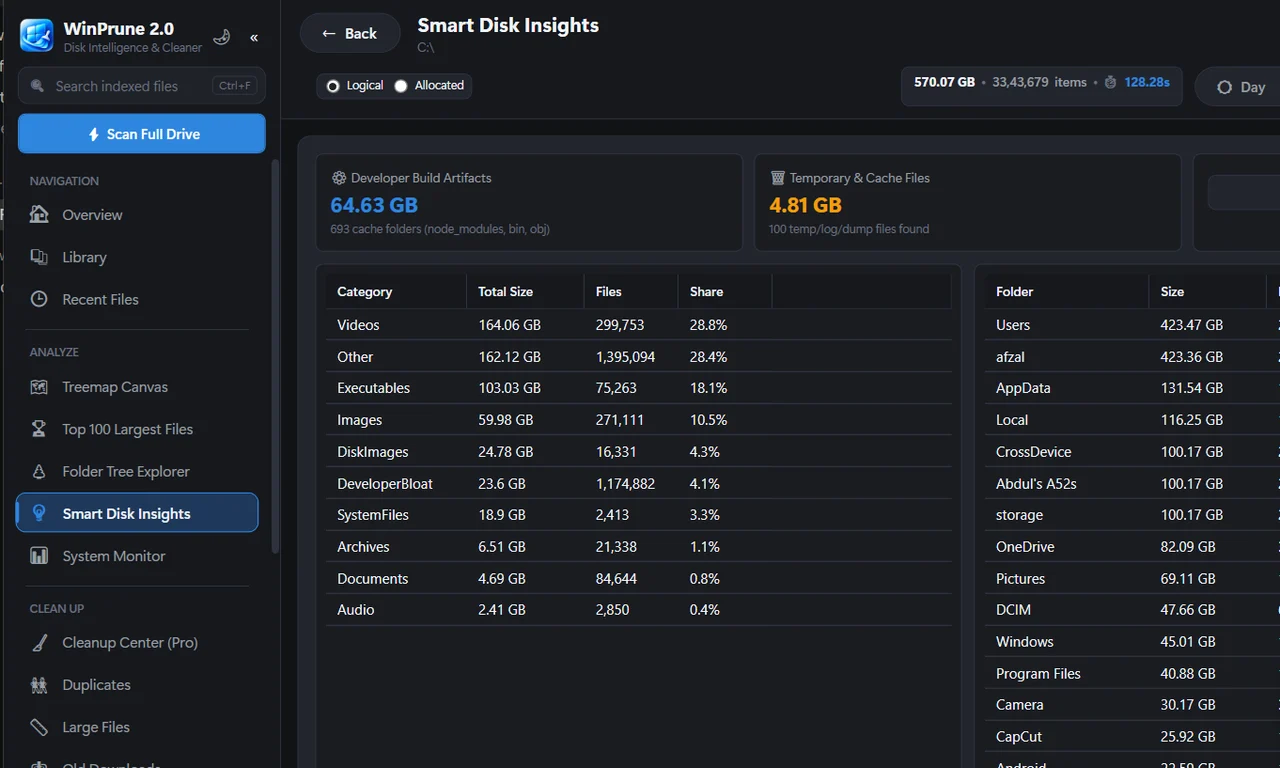
Choose a drive, look at the biggest areas, and review what the files are. Storage size helps you decide where to investigate; you decide what is safe to remove.
WinPrune reads the NTFS Master File Table directly. Windows asks for administrator permission when you scan so it can read it.
Understand storageUse the map and file locations to understand large folders, personal files, and application data.
Find large filesYou choose every file. Everything removable goes to the Recycle Bin first, so you can undo.
Read the review checklistThe fast scan, storage map and live stats are Free. Pro is a one-time purchase that unlocks the cleanup and insight tools in the same app.
Download, activation and licensing details in one place.
Product & contact informationNo monthly subscription. No annual subscription. No recurring billing.
Buy WinPrune Pro Secure checkout by Dodo Payments. Your license key unlocks Pro in the free app.Understand your storage today. Choose the tools for a clearer, less cluttered PC.
Perfect for visualizing what's taking up space.
Free · no license key needed.
Tools for deeper cleanup and control.
Everything in Free, plus:
WinPrune Pro is $15.99 USD as a one-time payment. No monthly subscription. No annual subscription. No recurring billing.
Free and Pro are the same app: your license key unlocks Pro. Everything removable goes to the Recycle Bin first, so you can undo. Review the license, updates & support terms before buying.
Windows storage guides for full drives, storage analysis and cleanup.
Clear answers. No fine-print surprises.
Product informationNo. WinPrune Pro is priced at $15.99 USD as a one-time payment. No monthly subscription. No annual subscription. No recurring billing.
Yes. The Buy WinPrune Pro buttons open secure checkout by Dodo Payments. This website does not collect or store your payment details.
Free includes the fast NTFS scan, the treemap storage map and live stats. Pro adds the Overview dashboard, Library, Top 100 largest files, folder tree explorer, duplicate finder, Cleanup center, Recycle Bin manager, disk insights, smart cleanup recommendations, and storage trends & history. Everything removable goes to the Recycle Bin first, so you can undo.
From the Download page. It is free for everyone. Free and Pro use the same app; a license key unlocks Pro.
After payment, Dodo Payments emails your receipt and your WinPrune Pro license key.
The key is checked with Dodo Payments and tied to the PC you activate it on. WinPrune keeps working offline and rechecks the license periodically.
Windows may show “Windows protected your PC” because WinPrune is from a new publisher. Click More info → Run anyway. If your browser says the file isn’t commonly downloaded, choose Keep → Keep anyway.
Open Settings → Apps → Installed apps, find WinPrune, click ⋯ → Uninstall (or Control Panel → Programs and Features). This removes the app, shortcuts, settings and saved scans. If you have Pro, first open WinPrune → Settings → Manage plan & license and click Deactivate, so you can use your license on another PC.
No. Scans run locally and results are saved on your PC. WinPrune only contacts Dodo Payments to activate and check your license key.
No. You choose every file, and removals go to the Recycle Bin so you can restore them.
No lifetime updates or lifetime support are promised. See the licensing page for update eligibility, device limits, support and refunds.
WinPrune Pro · $15.99 USD · One-time payment
Buy WinPrune Pro · $15.99Secure checkout by Dodo Payments. Want to try it first? Download free.